October 2026 (version v1.0.0)
Released
What’s new
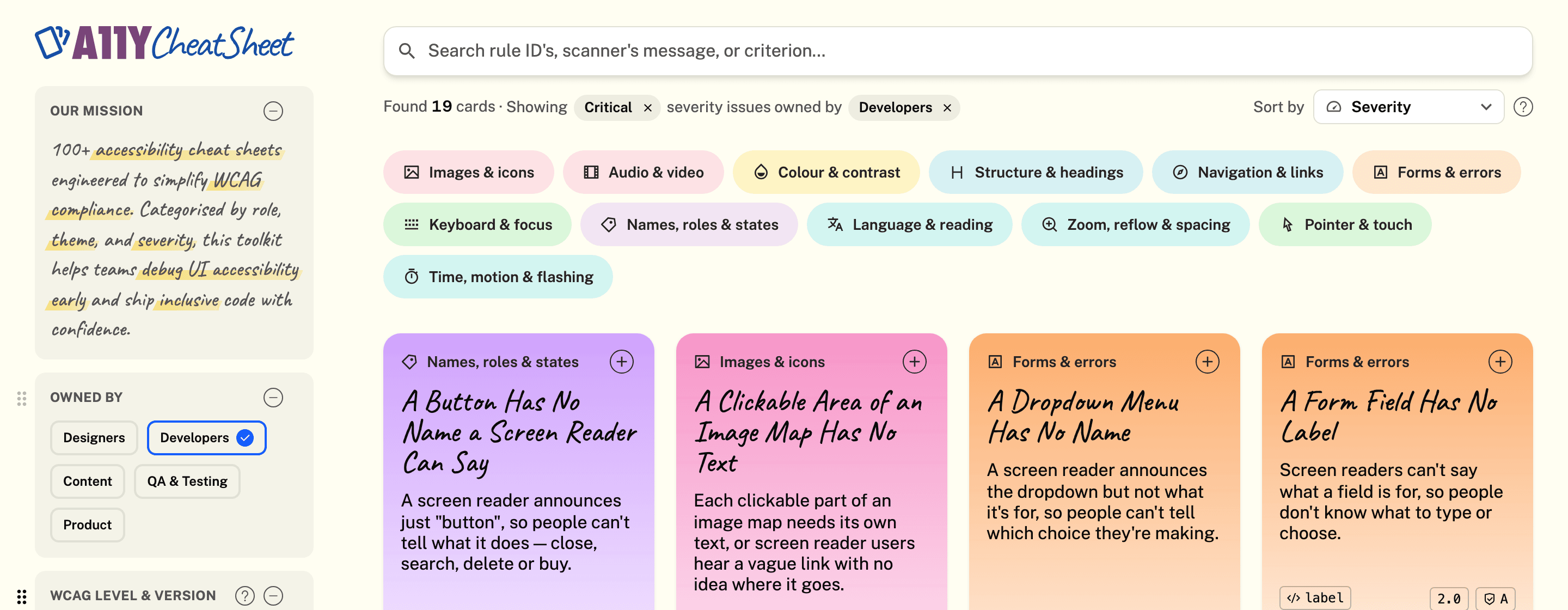
The A11Y Cheat Sheet: what each accessibility scanner rule means for people, a card at a time — free, with no sign-in.
- A card for every scanner rule104 of axe-core's rules, each explained for people: who it affects, why it matters, how to fix it and a quick test.
- Find the one your scan raisedSearch by its rule ID or the scanner's own words, or narrow the deck by theme, severity, level and more.
- My LearningQueue the cards you want to learn, mark them mastered, and watch your progress through the deck.
- WCAG 3.0 draft cardsEach of W3C's 46 draft guidelines as a card — its purpose, its requirements word for word, and what to take from it.
- A newsletterSubscribe to hear when cards are added or WCAG changes.
- Read aloud, PDF and phoneHave a card read to you as it follows along, save cards as PDFs, and use it all on your phone.
New features
A card for every scanner rule
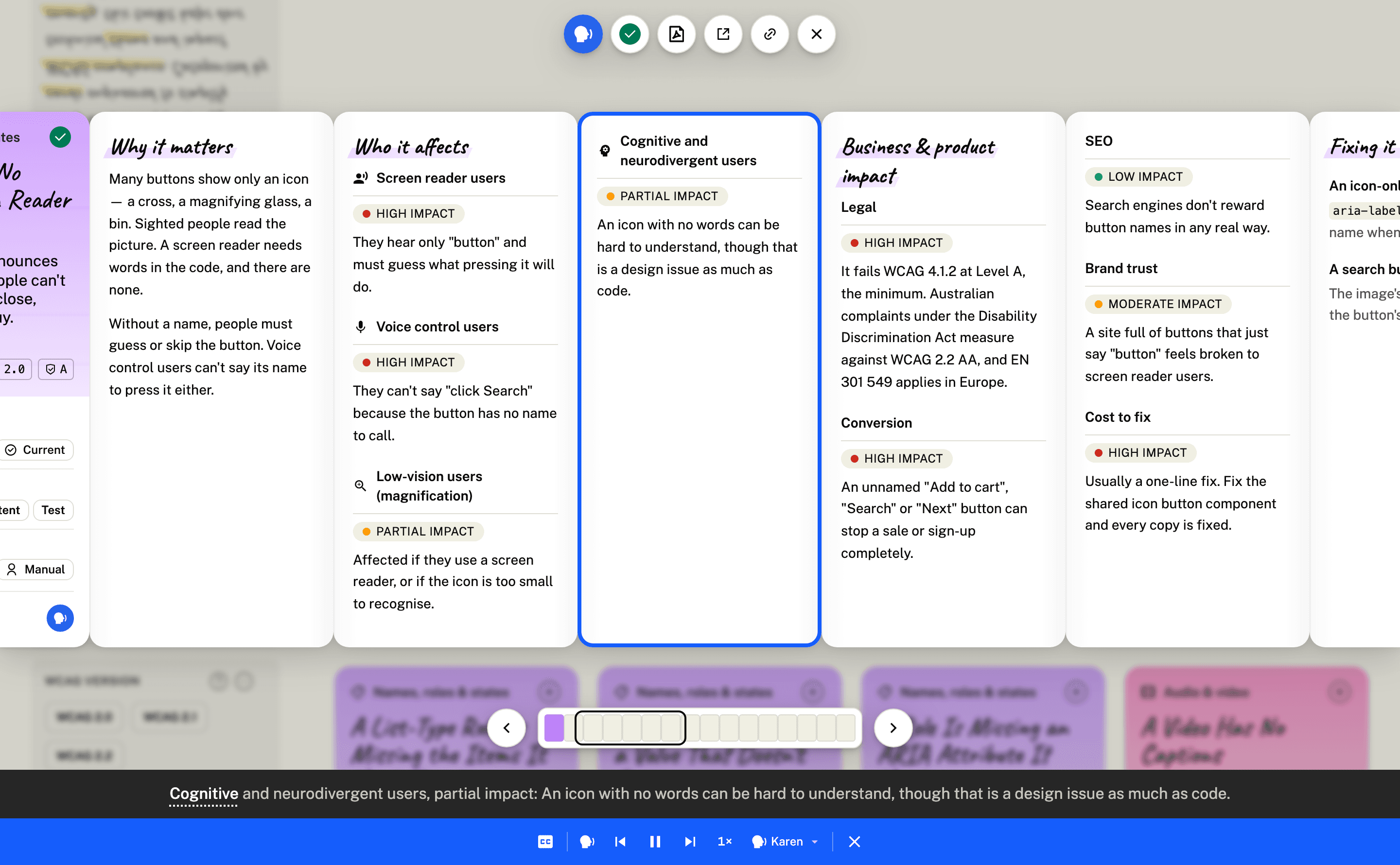
Every rule axe-core checks — 104 of them, the experimental and retired ones too — has a card. Its face says what goes wrong in plain words, its severity and status, who owns the fix and how an audit catches it, with the rule's ID as the scanner reports it.
Open a card and it unfolds like a map: why it matters, who it affects and how hard, the business impact, each fix as a Do and a Don't in code with what a screen reader says, and a quick test you can run in thirty seconds.
Explore the A11Y Cheat SheetFind the one your scan raised
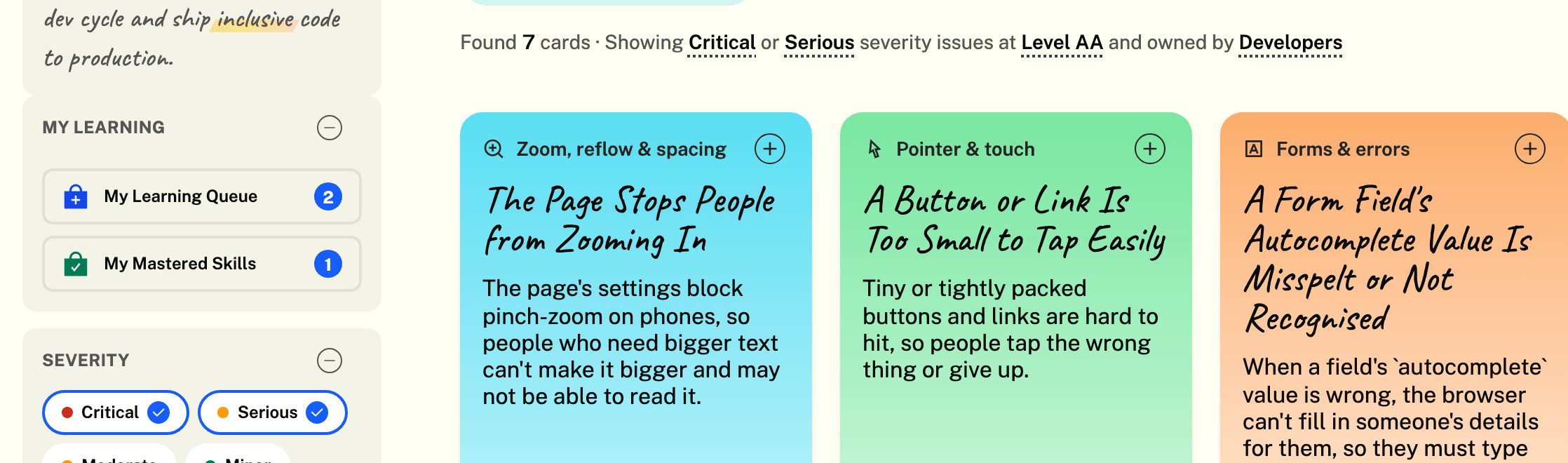
Paste a rule ID or the scanner's message into the search, and what matched is marked on the cards — with a snippet when it's something the card's face doesn't show. Narrow the deck by theme, severity, WCAG level and version, who owns the fix, how an audit catches it and status; a sentence says what you're looking at, and any part of it comes off with a click.
My Learning
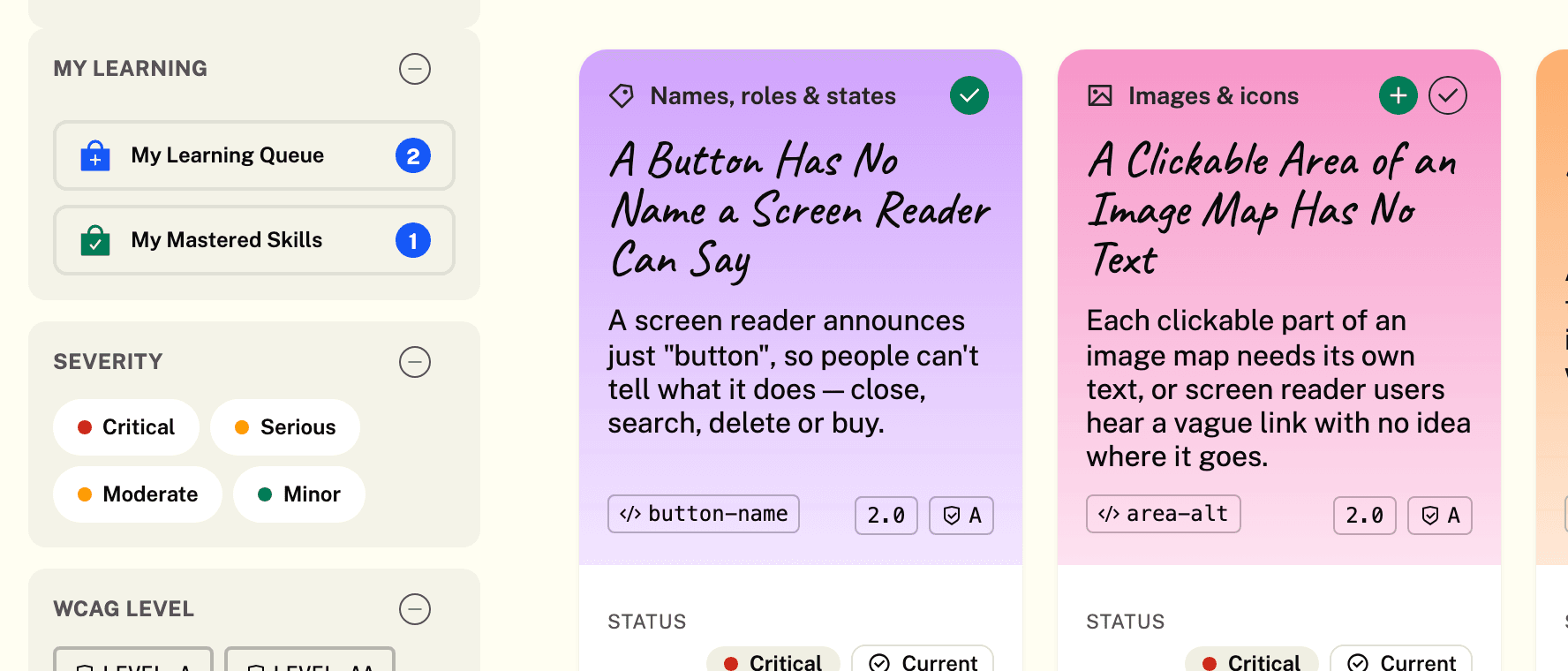
Press the (+) on a card to put it on your learning queue, and the (✓) once you've mastered it. Your queue and your mastered skills sit above the filters, with a gauge of how far through the deck you are; download either as one PDF. It's kept in your browser — nothing to sign in to.
WCAG 3.0 draft cards
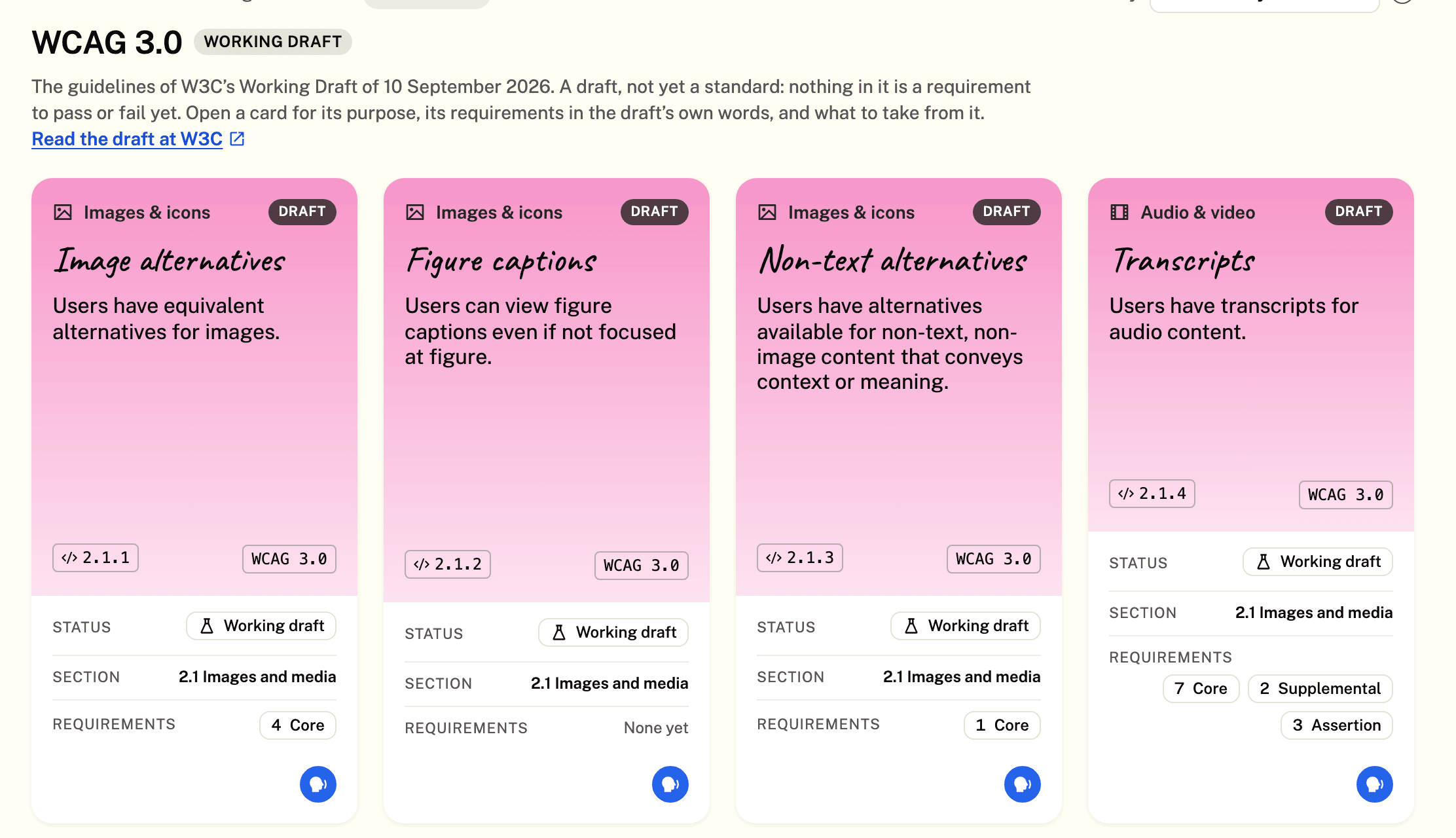
Choose WCAG 3.0 under WCAG Level & Version for W3C's Working Draft of 10 September 2026, a card for each of its 46 guidelines. Open one for Core Purpose, Key Requirements in the draft's own words, and Key Takeaways. It's a draft: nothing on these cards is something to pass or fail yet, and each links to its place in W3C's draft.
Filters your way
Drag the filters into the order you use them — kept in your browser — and sort the deck by severity, theme, rule ID, WCAG level, the newest in WCAG or the most recently reviewed. The sentence above the cards says what you're looking at; take any part off with its ×, or Clear it all.
The A11Y Cheat Sheet Newsletter
Subscribe at the foot of the page, or from the footer, for an email when the cheat sheet changes. You confirm from your inbox first, and every email has a link to unsubscribe.

Read aloud, PDF and phone
Read aloud reads a card as it's laid out, outlining what it's reading and keeping it in the middle of the window; skip a panel at a time, or jump to any. Save any card — or a whole collection — as a PDF laid out for A4. And it all works on a phone: filters behind a button, a swipe to move along a card.